-1.png?width=1920&height=970&name=Juno%20Tax%20Prep%20Advisory%20Review%20(1)-1.png)
What You Can Do
While preparing any business return, you can create journal entries directly within the preparation in the Juno Web App. Juno will also suggest entries based on your P&L or Balance Sheet.
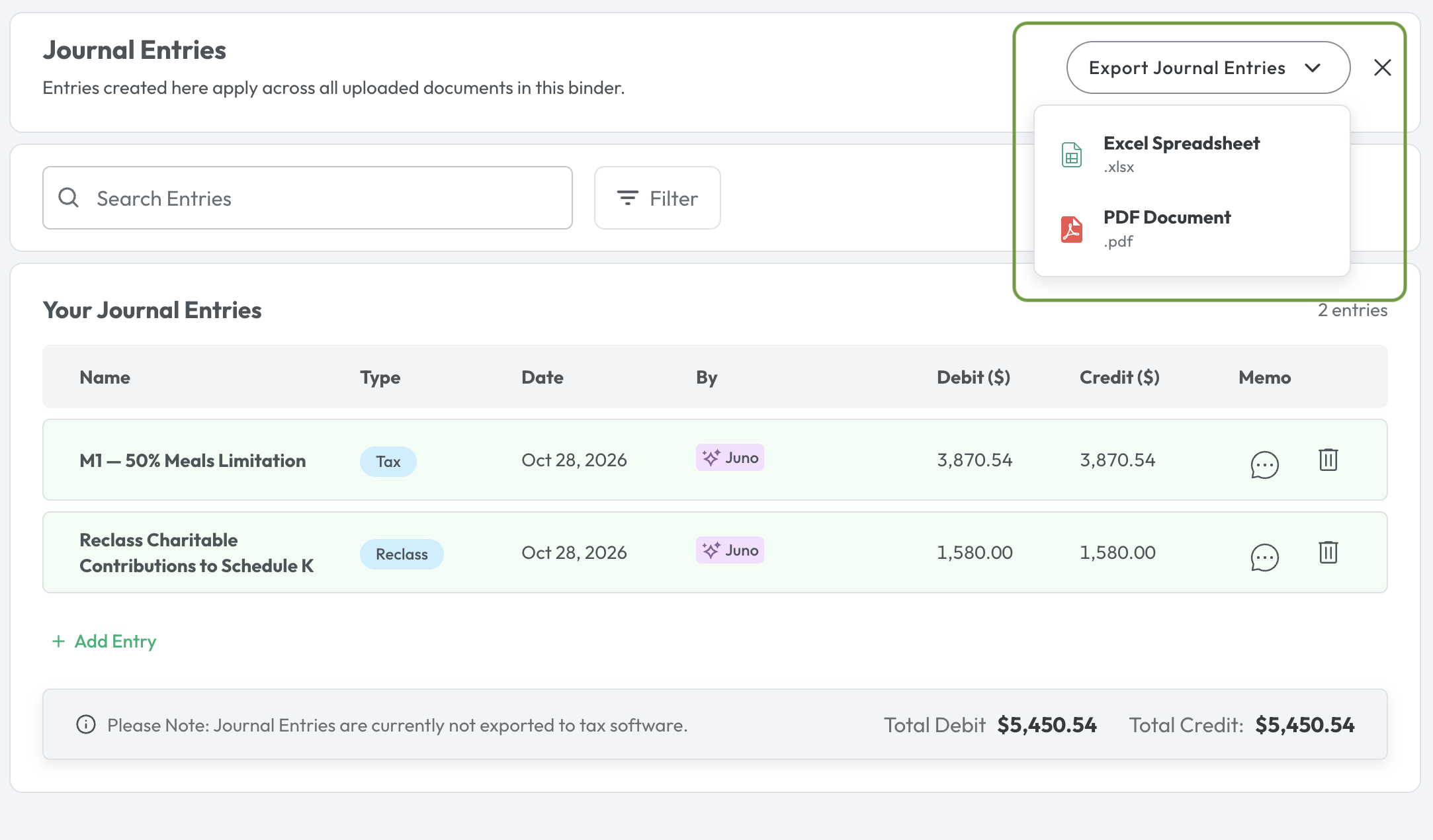
Important Note: Journal Entries aren't currently exported to your tax software. You can download them as an Excel or PDF file and record them in your tax software manually.
Where to Find Journal Entries
Look for the Journal Entries button in any of these three places:
The Document Upload Screen: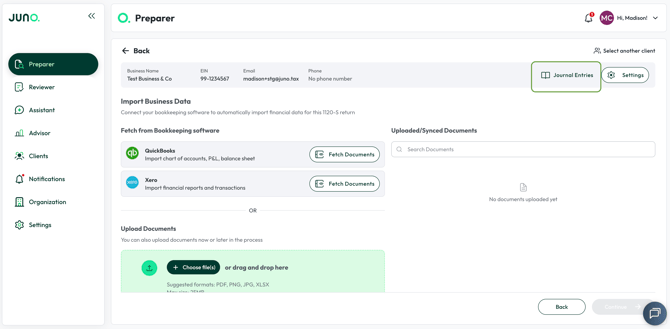
The Document Overview Screen: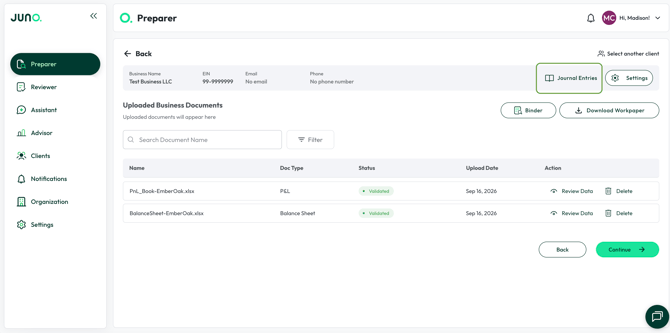
Inside The Data Validation Screens: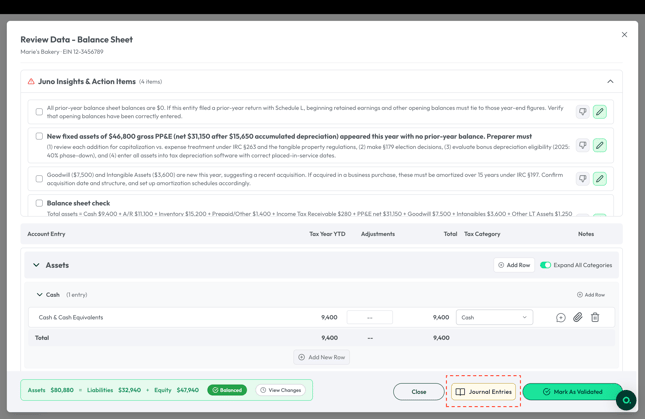

The Three Entry Types
Juno supports the three types of journal entries:
- Book: adjustments to your books
- Reclass: reclass an amount from one account to another
- Tax: adjustments made for tax purposes
How to Create a Journal Entry
- Click the Journal Entries button
- Enter a title and select a date
- Choose the entry type - Book, Reclass, or Tax
- Add a memo describing the entry
- Click Add Entry
- Use the dropdowns to pick the accounts to debit and credit
Tip: You'll be able to save the entry once your debits equal your credits
Picking the Right Accounts
Your firm's own chart of accounts appears at the top of the account dropdown - these come from your uploaded P&L or Balance Sheet, or from your QBO or Xero sync. Juno's default categories are listed below them.
Need an Account that Doesn't Exist Yet?
For Book entries, you can create a custom account: scroll to the bottom of the account dropdown and type in the new account name.
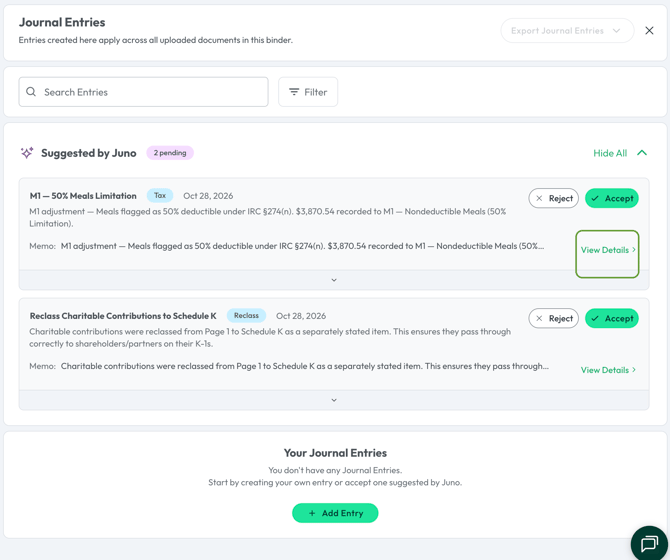
Review Juno's Suggested Entries
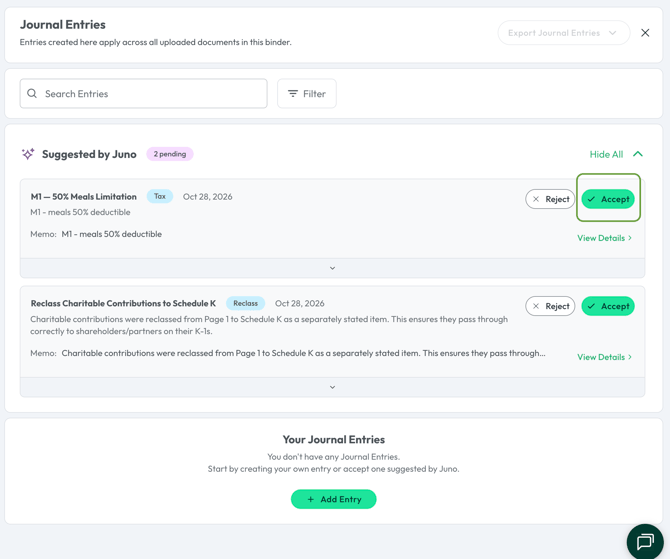
Juno automatically suggests journal entries based on your P&L or Balance Sheet, using your real account names (not generic placeholders).
For each suggestion, you can:
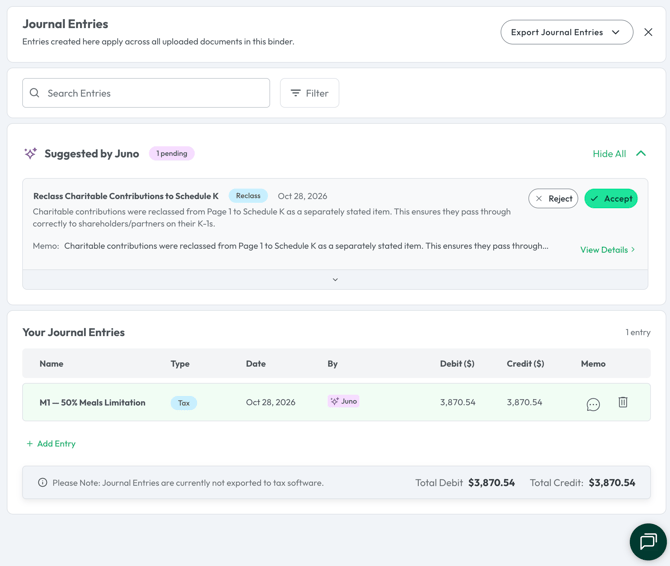
- Accept it as-is
- Reject it
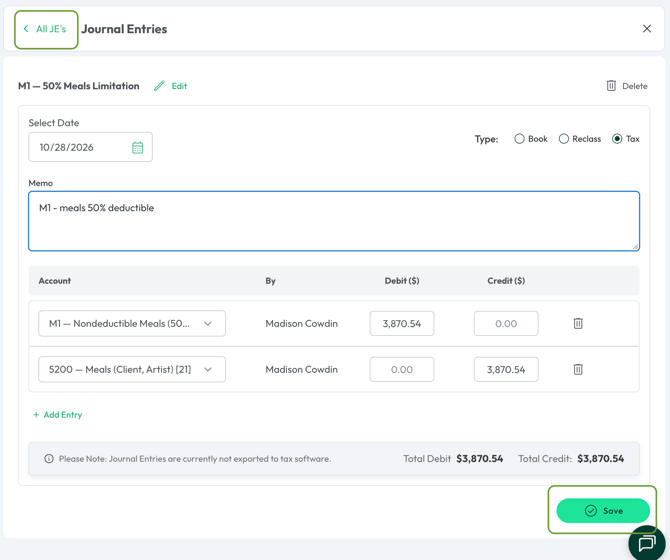
- Click View Details to edit the suggested journal entry, then click Save once you've made an edit before navigating back to All JE's to accept the changes you've just made
Manage your Entries
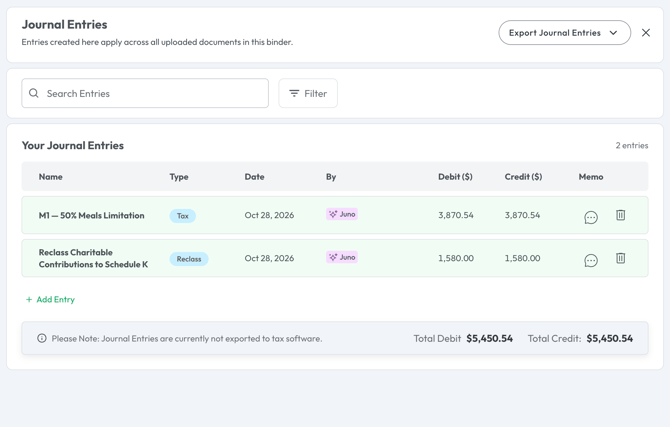
Every saved entry appears on the Journal Entry summary page, where you can add new entries or edit existing ones at any time.
Export Your Journal Entries
When you're ready to record your entries in your tax software, head to the Journal Entry summary page and click the Export Journal Entries button in the top right corner. Here, you can download your entries as an Excel or PDF file - whichever works best for your workflow.
Questions
If any other questions on journal entries come up, please contact Customer Support via live chat inside of the Juno Web App or email us at support@juno.tax. We're happy to help!