-1.png?width=1920&height=970&name=Juno%20Tax%20Prep%20Advisory%20Review%20(1)-1.png)
Contacting Juno Support
Juno Support is available 5 AM - 5 PM Pacific, Monday-Friday.
Support live Chat - Live chat is available during all support hours.
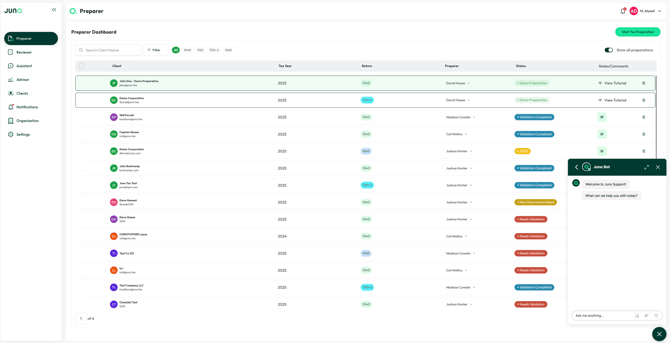
AI Chat - Juno Bot AI agent is available 24/7 in the chat bubble that lives in the bottom right corner of the Juno web app.
Email - Customers can reach out to Juno Support via support@juno.tax
Knowledge Base - The Juno knowledge base is available 24/7 and contains advice and answers to all common questions and configurations. It can be found at support.juno.tax.
Live Chat
You can access our chat by clicking on the Chat Bubble Icon in the bottom-right corner of your screen and start a chat with Juno Bot. Type in your question and let our Juno Bot try to answer first. If you are seeking additional support, ask our Juno Bot to connect you to live chat. This will connect you with a member of the Juno support team for real-time assistance.
Team Members
All Members within the User Management Tab, under Organization, will have access Juno Support. Anyone without access will be directed back to their internal teams.
Juno Support Annual Holidays
|
Date |
Support team status |
|
February 16, 2026 |
Closed |
|
May 25, 2026 |
Closed |
|
June 19, 2026 |
Closed |
|
June 22-June 26 |
9AM - 4PM Pacific |
|
July 3, 2026 |
Closed |
|
September 7, 2026 |
Closed |
|
November 26, 2026 |
Closed |
|
November 27, 2026 |
Closed |
|
December 24, 2026 |
Closed |
|
December 25, 2026 |
Closed |
|
December 31, 2026 |
Closed |